Configuration Guide
Detailed configuration instructions for using our API Key in different platforms and tools
Configuration Instructions
We provide detailed configuration guides to help you quickly integrate our API services in various AI tools.
Important Notice
When using third-party tools, if there is an Open AI Compatible or Open AI Compatible option, please select Open AI Compatible or Open AI Compatible first.
If not, then select Open AI. This ensures better compatibility and stability.
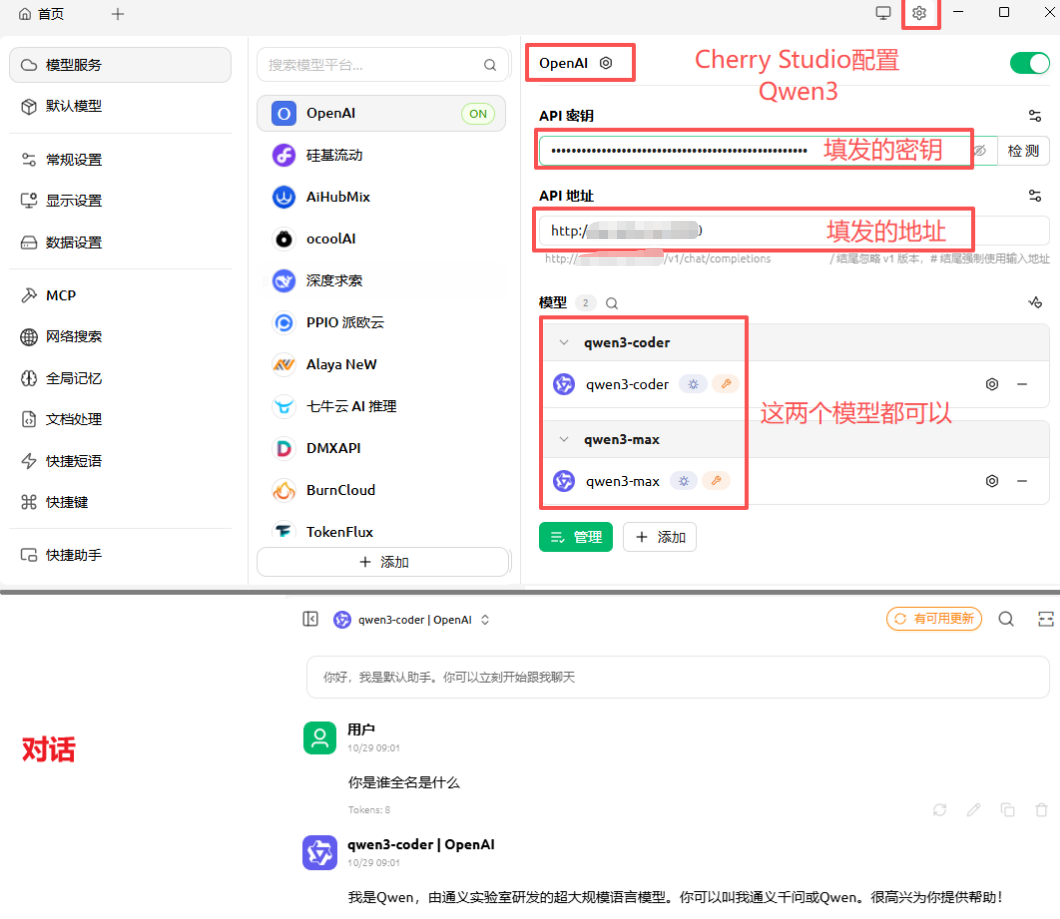
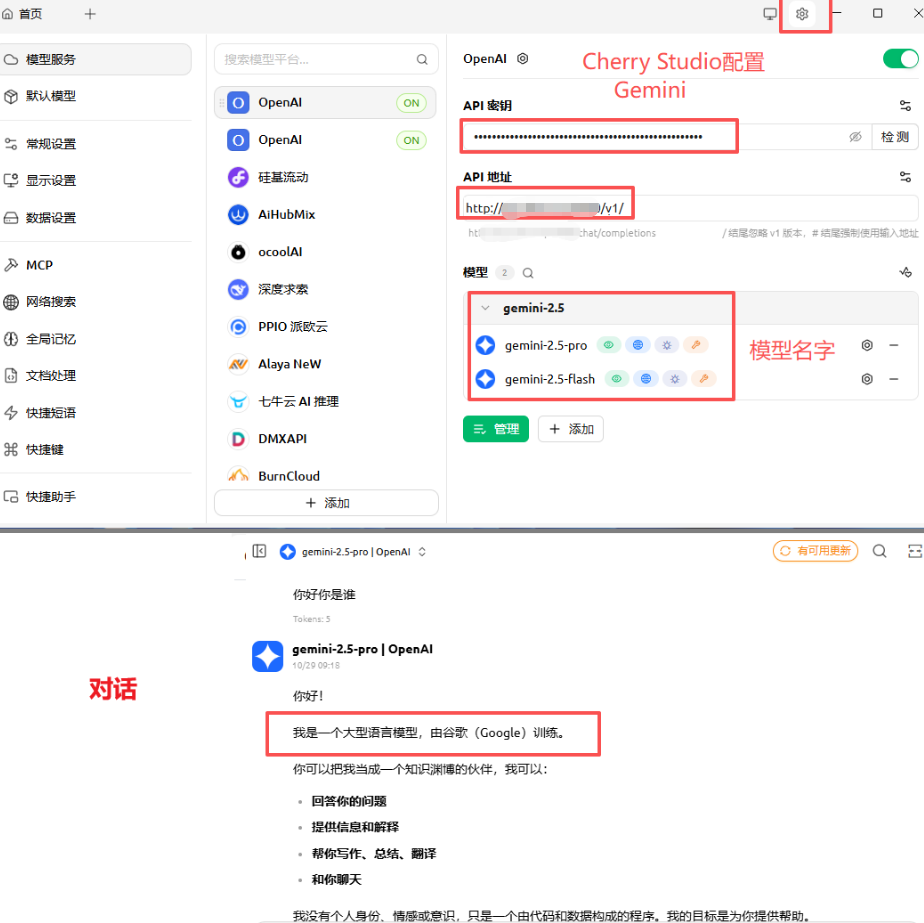
Cherry Studio Configuration
Cherry Studio is a popular AI client tool that supports multiple model APIs.
Configuration Steps:
- Open Cherry Studio client
- Go to settings page, select "Providers" tab
- Click "Add Provider" button
- Fill in the following information:
- API URL: [Your API Address]
- API Key: [Your API Key]
- Model: [Enter the name of the model you are using]
- Click Save and Test Connection
Cherry Studio Configuration Interface Schematic
Chatbox Configuration
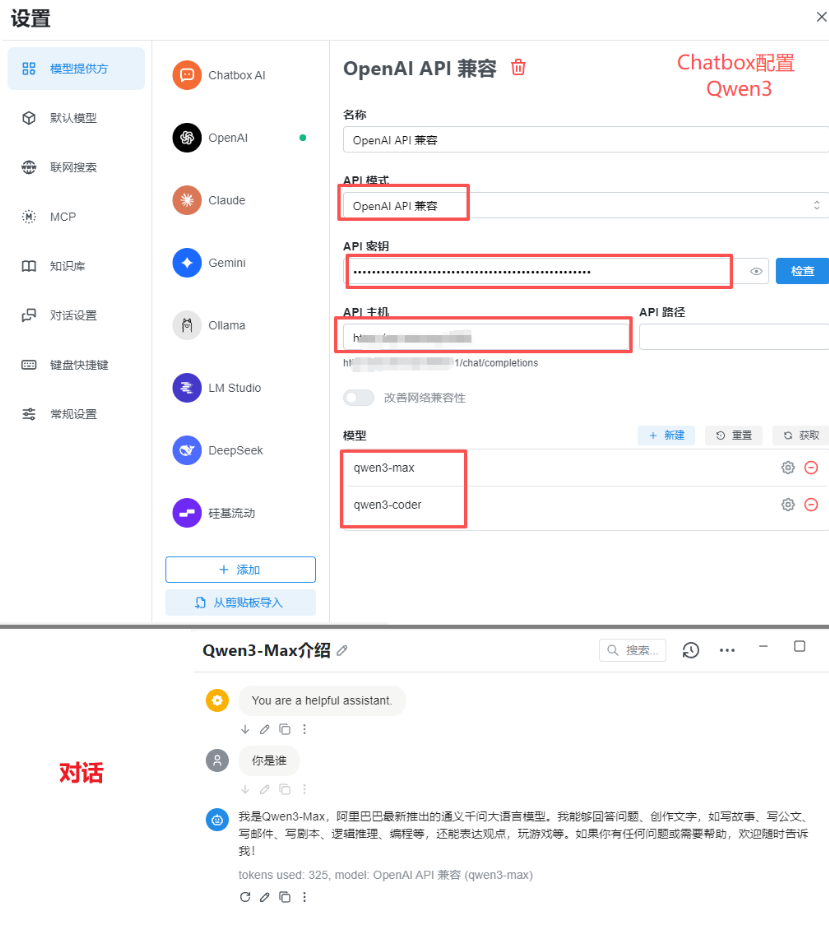
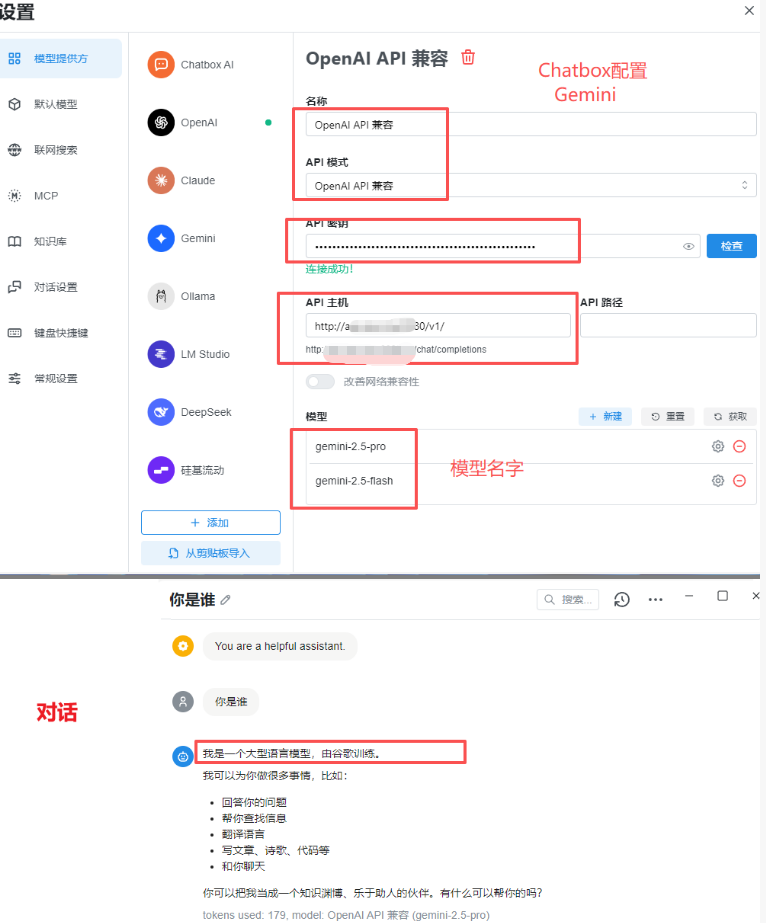
Chatbox is another powerful AI conversation tool that supports custom API integration.
Configuration Steps:
- Launch Chatbox application
- Click the "Settings" icon in the bottom left corner
- Select "API Settings" tab
- Fill in the custom API area:
- API URL: [Your API Address]
- Key: [Your API Key]
- Save settings and select the corresponding model
Chatbox Configuration Interface Schematic
VS Code Configuration
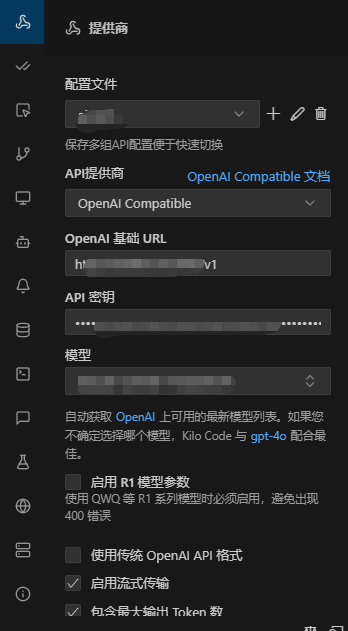
Using Gemini
Search for the kilo plugin, install it, and fill in the corresponding information
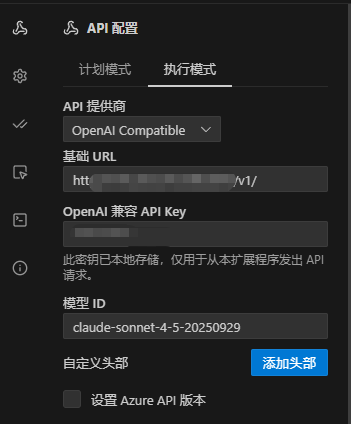
Using Claude Sonnet
Search for the cline plugin, install it, and fill in the corresponding information
Configuration Steps:
- Install the corresponding AI plugin (kilo or cline)
- Open the installed plugin settings in VS Code
- Configuration items
- Fill in the following configuration information:
- API URL: [Your API Address]
- API Key: [Your API Key]
- Model: [Enter the corresponding model]
- Restart VS Code to apply settings
Usage Tips
Obtaining API Information
You can find your exclusive API address and key in the email or order details you received after purchase.
Precautions
- Please keep your API Key secure to avoid leakage
- Different models may require different API addresses
- If you encounter connection issues, please check your network and firewall settings
- There are no restrictions on API call frequency in this solution
Technical Support
If you have configuration issues, please contact our technical support team for assistance.